Skip to content
stokcbit App / Sports
LIVE LOBBY

stokcbit — Live Tables, Slots and Sportsbook in One Place

From Bigtime Gaming slot rooms to live dealer tables from Microgaming and Spadegaming, your full lobby is one tap away — available where local law in Indonesia permits. Deposit with DANA or OVO and your wallet credits within the session — get straight to the game you came for.

DANA OVO GoPay
Browse games
CONTENT / 01

Choose How You Want to Play Today

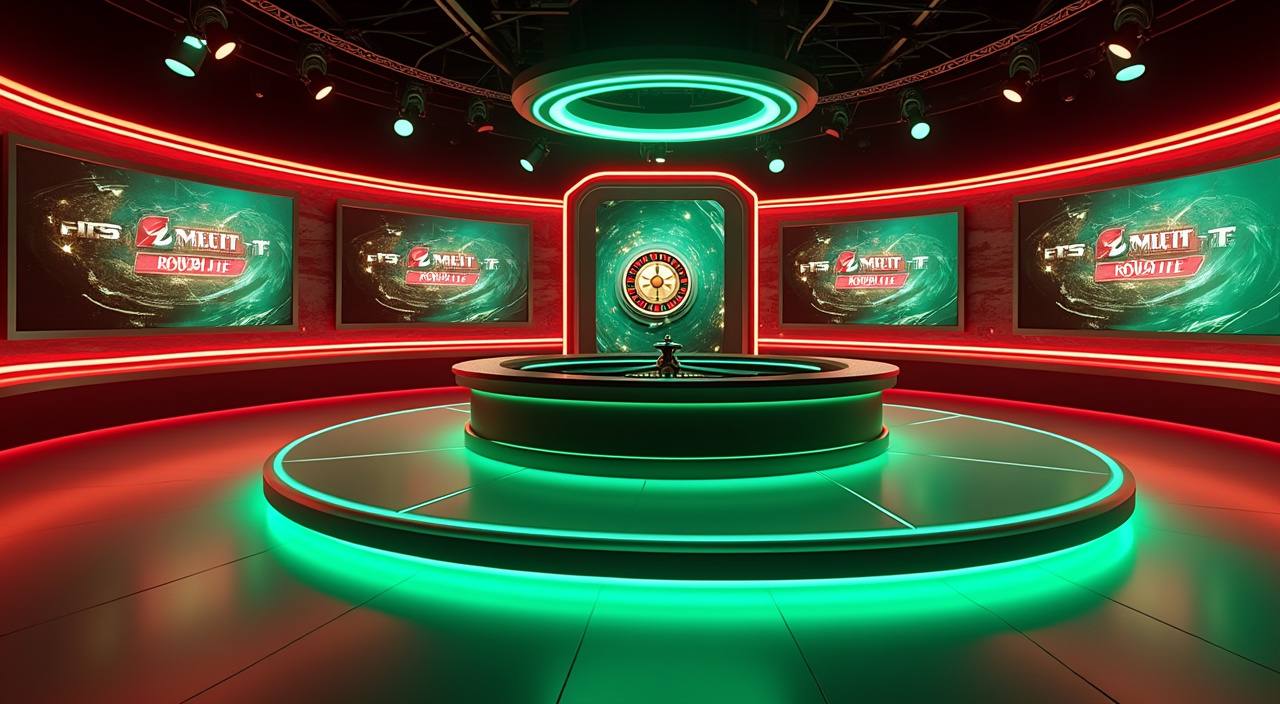
The lobby at stokcbit is structured around a real choice: live casino tables where you sit across from a dealer in real time, self-paced slots where you control the speed, and sportsbook markets anchored by football — including Liga 1 and European competitions. These are not blended into one undifferentiated feed. Live tables are grouped separately from slot rooms so you can go directly to whichever mode fits your session.

  • Live Casino Tables

    Real-time dealer tables from Microgaming covering baccarat, roulette and blackjack. Each table shows its current bet range before you sit. Switch between tables without leaving the live casino section — no reload needed on supported browsers.

  • Slot Rooms

    Bigtime Gaming and JDB slot titles grouped by feature type: bonus round slots, prize-multiplier rooms and fast-spin formats. RTP is shown where the studio provides it. Browse by studio or feature type from the slot lobby filter.

  • Sportsbook

    Football-led sportsbook with Liga 1 and European competition coverage as the primary market. The sportsbook sits at the same navigation level as the casino — one tap from the lobby header to switch. Availability depends on local law and eligible regions.

GAME NETWORK
Bigtime Gaming
Spadegaming
Microgaming
JDB
CONTENT / 04

stokcbit lobby studios

The stokcbit lobby carries content from Bigtime Gaming, Spadegaming, Microgaming, JDB. To check the studio, rules or features of one specific game, open that game card or the published information panel.

  • Bigtime Gaming

  • Spadegaming

  • Microgaming

  • JDB

DISCOVER / 01

Choose your game

Full lobby
TRUST / 03

What stokcbit Will and Won't Tell You About Your Account

Running a lobby that Indonesia players return to means being straightforward about what we do and do not do. We do not publish made-up RTP figures, invent processing times or claim certifications we cannot evidence. What we can tell you is concrete: transactions route through DANA, OVO, GoPay, Bank Transfer and QRIS — payment rails you can verify in your own banking app.

  • Verified Payment Rails

    Deposits and withdrawals route through DANA, OVO, GoPay, Bank Transfer and QRIS. Every transaction record is visible in your account wallet history. If a transaction does not appear as expected, the transaction ID shown at completion is what support needs to investigate.

  • Account Wallet Visibility

    Your account wallet shows the current balance, transaction history and any pending amounts in one place. The amounts won in a round are added straight to your wallet. Check the wallet screen after any session for a complete record — no need to contact support for routine balance queries.

  • Honest Game Data

    RTP information appears on game tiles only where the studio — Bigtime Gaming, Spadegaming, Microgaming or JDB — has published the figure. We do not insert our own estimates. If a tile shows no RTP, the studio has not released that data for the title.

  • Available Where Law Permits

    stokcbit operates for Indonesia regions where local law permits online casino and sportsbook access. We do not make eligibility claims beyond that. If access to a game category is unavailable in your region, the lobby will show that clearly rather than letting you reach a dead end mid-session.

Learn more →
GET ACCOUNT HELP

Support When You Need It During Your Session

The stokcbit support team handles account questions, transaction queries and game access issues. Reach us through the live chat icon in the lobby — it is available from the bottom-right corner of every page when you are logged in.

  • Live Chat

    Available from the lobby footer when you are logged in. Use this for active session issues — a round that dropped, a deposit that has not reflected, or an account access problem you need resolved quickly. Have your account email and transaction ID ready to speed up the exchange.

  • Help Form

    Find it under account settings. The form pre-fills your account reference so you do not have to type it out. Use this for questions that are not time-sensitive: wallet verification, document queries, or feedback about a game category. The support team responds to the email on your account.

  • Wallet and Transaction Help

    Every deposit and withdrawal generates a transaction ID visible in your wallet history. Quote this ID when you contact support about a payment — it lets the team pull the record without asking you to describe the amount or timing. DANA, OVO, GoPay, Bank Transfer and QRIS transactions all generate an ID at the point of completion.

GAME PICK THIS WEEK

What stokcbit Players Are Opening First

Aviator Quick Arena is a crash-format title we have placed in the spotlight this week — it loads on mobile without a separate download and the round history is visible before you place a stake, so you can see recent results without entering a round first.

  • Aviator Quick Arena

    A crash-format title that runs directly in the browser. Round history is visible before staking. Short rounds make it practical between other lobby sessions. No separate file needed to load it on Android or iOS.

  • Microgaming Baccarat Live

    The standard Microgaming baccarat table has an accessible bet-range entry point and streams reliably on mobile connections. Consistent choice for players moving between the sportsbook and the live casino section during the same session.

  • Fishing War Fast Round

    JDB's fishing game format with a short round structure — each round completes in under a minute. Works well for shorter sessions or as a change of pace between slot and live casino play. Loads on mobile data connections without quality drop.

LOCAL PAYMENTS

Your Payment Options at stokcbit

The payment rails connected to your stokcbit account are DANA, OVO, GoPay, Bank Transfer and QRIS. Each method follows the same flow: select it from the cashier screen, enter the amount within the minimum and maximum shown for that method, confirm through your wallet or bank app, and the credit appears in your account wallet.

  • DANA

    Select DANA from the cashier, enter the amount within the limits shown, and confirm inside your DANA app. The transaction ID appears in both your DANA history and your stokcbit wallet record. Available for deposits and withdrawals subject to the limits shown in the cashier.

  • OVO

    OVO transfers route through the cashier the same way as other e-wallets. Enter the amount, confirm in OVO, and the credit appears in your account wallet. OVO is available for both deposit and withdrawal. Check the cashier for current method limits.

  • GoPay

    GoPay is connected through the cashier screen. Confirm the amount in the GoPay interface and the wallet reflects the movement once the transfer completes. Available for deposit and withdrawal within the limits the cashier displays.

  • Bank Transfer

    The cashier generates a virtual account number for your transfer. Copy it exactly into your banking app — the number is session-specific. Once the bank confirms the transfer, your stokcbit wallet updates. Transaction IDs from both ends are useful if you need to query a delay.

  • QRIS

    Scan the QRIS code in the cashier with any compatible wallet app. The code is generated per session, so use the one displayed at the time of your deposit. QRIS is accepted for deposits; check the cashier for the current minimum and maximum amounts.

  • LinkAja

    LinkAja is available as a payment option in the cashier alongside other local e-wallets. Select it, confirm the amount against the limits shown, and complete the transfer inside the LinkAja interface. The transaction records on both sides once the transfer goes through.

Banking
ACCOUNT PATH

From Account Open to First Game Round

Opening an account at stokcbit takes you through a short sequence that ends with a funded wallet and access to the full lobby. The account page asks for your email address, a password you set at that point, and basic identity details — fill in the fields as shown and follow the verification step the form displays.

  1. Step 1 — Open Account

    Go to the account page and fill in your email, password and identity details exactly as the form requests. Follow the verification step shown — the form walks you through what is needed. Do not skip the verification step; it is what connects your payment methods to your wallet.

  2. Step 2 — Fund Your Wallet

    Open the cashier from your account dashboard. Select DANA, OVO, GoPay, Bank Transfer or QRIS, enter an amount within the limits shown for that method, and complete the transfer. Your wallet updates once the transfer confirms. The transaction ID is visible in your wallet history immediately after.

  3. Step 3 — Pick Your Game

    With your wallet funded, open the lobby and use the category or studio filter to find what you want. Go to live tables for a real-time dealer session, slot rooms for self-paced play, or the sportsbook for football markets. The filter bar makes it fast to navigate without scrolling the full catalogue.

MEMBER DESK / 06

Offers, support and account controls

01

Game lobby

02

Payment guide

03

Support

PLAY ON MOBILE

How the stokcbit Lobby Works on Your Phone

The stokcbit lobby is built to work on a mobile browser without a separate download. Open stokcbit in your phone's browser — Chrome on Android or Safari on iOS — and the layout shifts to a single-column format with a bottom navigation bar that puts the lobby, cashier and account in thumb reach. Slot titles from Bigtime Gaming and JDB load in-browser and run in portrait or landscape depending on the title.

  • No Download Needed

    Open stokcbit directly in your mobile browser. The layout adapts to your screen automatically. Slot rounds and live dealer tables both run in-browser — Chrome on Android and Safari on iOS handle them without a separate file or update.

  • Mobile Cashier Flow

    The cashier on mobile uses the same steps as desktop. Select DANA, OVO or GoPay, enter the amount, and switch to your wallet app to confirm — then return to the lobby. The wallet balance updates in place so you can get back to your session without a reload.

  • Account Syncs Across Devices

    Your wallet balance, game history and account settings are tied to your account login, not your device. Start a session on your phone and continue on desktop without losing your place. Log in from any browser to access the full lobby and your current wallet state.

CONTENT / 03

How the stokcbit Lobby Works on Your Phone

The stokcbit lobby is built to work on a mobile browser without a separate download. Open stokcbit in your phone's browser — Chrome on Android or Safari on iOS — and the layout shifts to a single-column format with a bottom navigation bar that puts the lobby, cashier and account in thumb reach. Slot titles from Bigtime Gaming and JDB load in-browser and run in portrait or landscape depending on the title.

  • No Download Needed

    Open stokcbit directly in your mobile browser. The layout adapts to your screen automatically. Slot rounds and live dealer tables both run in-browser — Chrome on Android and Safari on iOS handle them without a separate file or update.

  • Mobile Cashier Flow

    The cashier on mobile uses the same steps as desktop. Select DANA, OVO or GoPay, enter the amount, and switch to your wallet app to confirm — then return to the lobby. The wallet balance updates in place so you can get back to your session without a reload.

  • Account Syncs Across Devices

    Your wallet balance, game history and account settings are tied to your account login, not your device. Start a session on your phone and continue on desktop without losing your place. Log in from any browser to access the full lobby and your current wallet state.

ACCOUNT DASHBOARD OFFERS

What Is Active on Your Account Right Now

Any offer connected to your stokcbit account is shown in your account dashboard after login — not on the lobby home screen, and not in a separate email unless we have sent you one directly. The dashboard shows the current state of what is running on your account: what is available, what has been used, and what conditions apply.

  • Dashboard Is the Source

    Your account dashboard after login is where offer status lives. It shows what is active, what conditions apply and how far through any requirement you are. We do not publish a separate schedule — what you see in the dashboard is the current state for your account specifically.

  • Support for Dashboard Queries

    If something in your dashboard is not clear — a condition you do not recognise, an amount that does not match what you expected — use the help form in account settings. The form pulls your account reference automatically so the support team has context before they reply.

  • No Automatic Assumptions

    Do not assume an offer applies to your account because it applied on a previous visit. The dashboard reflects the live state. If you have completed a requirement or your account status has changed, the dashboard updates to match. Check it at the start of each session.

Login
PLAYER INDEX / 07

Casino and Game Terms at stokcbit — What They Mean

Not every term in the lobby is self-explanatory, especially if you are moving between game categories for the first time. These definitions cover the mechanics you will encounter across the stokcbit catalogue — slots, live dealer and crash formats — using the actual words the lobby uses rather than simplified substitutes.

Player guide and glossary
  • What is a bonus round in a slot game?

    A bonus round is a feature within a slot title that activates under specific reel conditions — usually a set of scatter symbols landing in a qualifying pattern. Once triggered, the bonus round runs separately from the base game: the rules, multipliers and prize structure inside it are different from standard spins.

  • What does RTP mean on a game tile?

    RTP stands for return to player. It is a percentage published by the game studio that describes the theoretical long-run return of the title across a very large number of rounds. A figure of 96% means the game is designed to return 96 units for every 100 wagered over time — it is not a session-by-session figure and does not predict individual round outcomes.

  • What is a live dealer table?

    A live dealer table is a casino game — baccarat, roulette, blackjack and variants — where a real dealer runs the round on camera and you interact through an interface on your screen. The stream comes from a physical studio operated by the game provider, which in the stokcbit lobby is Microgaming.

  • What is a crash game?

    A crash game is a format where a multiplier rises from 1x at the start of each round and can stop — or crash — at any point. You place a stake before the round starts and choose when to cash out before the crash occurs. If you cash out before the crash, your stake is multiplied by the value at the point you exited.

  • What is a fishing game?

    A fishing game is an arcade-style title where you aim at targets on screen — typically fish or sea creatures — and each target has a prize value assigned to it. You spend ammunition to hit targets, and the prize from a successful hit goes straight to your wallet. Different targets carry different prize values and some have special mechanics attached.

  • What does wallet mean on the platform?

    Your wallet on stokcbit is the account balance that funds your game rounds and receives the amounts won. When you deposit via DANA, OVO, GoPay, Bank Transfer or QRIS, the confirmed amount appears in your wallet. When a game round produces a winning result, the amount won is added straight to your wallet balance. When you withdraw, the amount leaves your wallet and routes to your selected payment method.

  • What is QRIS and how do I use it to deposit?

    QRIS is a standardised QR payment format used by Indonesian banks and e-wallets. In the stokcbit cashier, selecting QRIS generates a QR code specific to your current session. Open any QRIS-compatible app on your phone — including most major Indonesian e-wallets and banking apps — scan the code, and confirm the amount. Once your app confirms the transfer, your stokcbit wallet updates.

Full glossary
LOBBY / 02

One mobile lobby, distinct game areas

Live Roulette Turbo Live Live Roulette Turbo Access → OVO Fast Transfer Slots OVO Fast Transfer Access → Badminton Betting Live Sports Badminton Betting Live Access → Aviator Quick Arena Slots Aviator Quick Arena Access → Fishing War Fast Round Slots Fishing War Fast Round Access → FAQ Bonus Help Slots FAQ Bonus Help Access →
EXPLORE FURTHER / 04

Explore detailed guides

Local lobby check

QUICK ANSWERS

Frequently asked questions

These are the questions that come up most often from new account holders. If your question is not here, the help form in account settings or the live chat in the lobby footer will get you a direct answer from the support team.

Read FAQ →
How do I open an account at stokcbit?

Go to the account page on stokcbit and fill in the fields as shown — your email address, a password, and the identity details the form requests. Follow the verification step the form displays before you continue. Once verification is complete, your account is active and you can access the cashier to fund your wallet.

Which payment methods does stokcbit accept?

The cashier currently accepts DANA, OVO, GoPay, Bank Transfer, QRIS and LinkAja. Each method has its own minimum and maximum shown in the cashier at the point of selection — check those figures before you confirm an amount. For Bank Transfer, use the virtual account number generated by the cashier for your session. For QRIS, scan the code shown in the cashier with any compatible app.

Can I play on my phone without downloading an app?

Yes. Open stokcbit in your mobile browser — Chrome on Android or Safari on iOS. The lobby loads in your browser and adapts to your screen without a separate file. Slot titles, live dealer tables and the sportsbook all run in-browser.

How do I know which game studios supply the lobby?

The stokcbit lobby is supplied by four studios: Bigtime Gaming, Spadegaming, Microgaming and JDB. You can filter the lobby by studio once you are inside. Bigtime Gaming and JDB supply slot and arcade titles; Microgaming supplies the live dealer suite and an extended slot library; Spadegaming focuses on titles designed for Southeast Asian play styles.

Where do I find information on my account?

Your account dashboard after login is where any active account offer is shown. The dashboard displays the current state — what is available, what conditions apply, and how far through any requirement your account is. We do not display a general offer board on the lobby home screen. If nothing is showing in your dashboard, nothing is currently active on your account.

What should I do if a deposit does not show up in my wallet?

First, check your wallet history in your account for the transaction. If the payment completed on your DANA, OVO, GoPay, Bank Transfer or QRIS side but has not appeared in the wallet, note the transaction ID from your payment app and contact support via live chat or the help form. The transaction ID is what allows the team to locate the transfer record quickly.

Is the sportsbook available in all regions of Indonesia?

Sportsbook access, like all real-money game categories, depends on local law and is available where local law in Indonesia permits. The lobby will indicate if a category is unavailable in your region rather than letting you navigate to a dead end. Football markets — including Liga 1 and European competitions — are the primary sportsbook offering where the category is accessible.

How do I contact stokcbit support?

The fastest route is the live chat icon in the lobby footer, visible when you are logged in. For non-urgent questions, use the help form under account settings — it pre-fills your account reference so the support team has context before they reply. When contacting about a transaction, have the transaction ID from your wallet history ready.

READY WHEN YOU ARE

stokcbit game lobby

Access may be available only where local law permits.

Register Login